Contact Info
Your checkout is losing 7 out of 10 sales. Here's how to fix it with smarter payment processing, faster flows, and the options customers actually want.

Before diving into solutions, you need to understand what’s breaking your checkout. Payment friction isn’t one thing. It’s a collection of small obstacles that add up to a major problem.
Speed matters more than most businesses realize. Every 100-millisecond delay in page load time reduces conversions by 7%. When your checkout takes too long to load or process, customers assume something’s wrong and leave. They’re not patient. They’re not waiting around to see if your site eventually works.
Then there’s the form problem. The average checkout contains over 11 form fields when most businesses only need 8. Every extra field you ask customers to complete increases the chance they’ll abandon. Requiring account creation drives away 26% of shoppers who just want to buy something quickly without committing to another login credential they’ll forget.
Payment options create another friction point. When customers reach your checkout and don’t see their preferred payment method, 8-25% will abandon rather than pull out a different card or set up a new payment option. In 2026, that’s a choice they don’t have to make. Your competitors are offering the flexibility you’re not.

Mobile commerce now represents 60% of online sales, but mobile cart abandonment sits at 79% compared to desktop’s 68%. That gap isn’t random. It’s the direct result of payment processes designed for desktop and awkwardly shoved onto smaller screens.
Typing payment information on a mobile keyboard is tedious. Autofill doesn’t always work. Forms don’t resize properly. Buttons are too small or placed where thumbs can’t easily reach them. Security concerns feel amplified on mobile networks. Interruptions happen more frequently when someone’s shopping on their phone versus sitting at a computer.
The businesses winning on mobile aren’t just making their desktop checkout responsive. They’re rebuilding the experience from scratch with mobile-first thinking. That means larger touch targets, fewer form fields, smart defaults, and payment methods that don’t require typing at all.
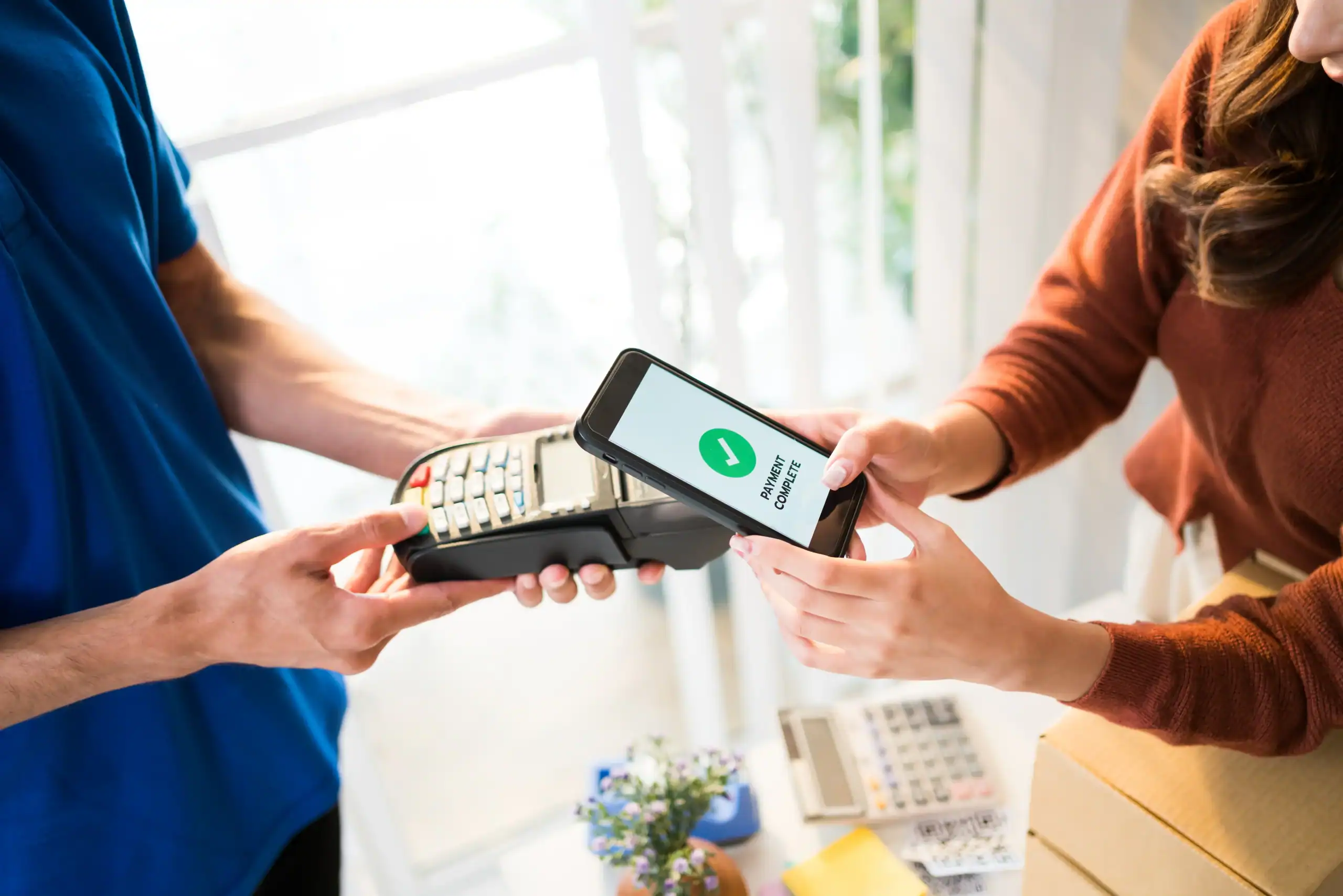
Digital wallets solve most of these problems instantly. When someone taps Apple Pay or Google Pay, their payment and shipping information auto-populates in seconds. No typing. No fumbling with a credit card while standing in line or sitting on a couch. The entire transaction happens in two taps.
This isn’t a nice-to-have feature anymore. It’s table stakes. Mobile wallet users now exceed 5.3 billion globally, and 51% of shoppers won’t complete a purchase if their preferred wallet isn’t supported. Businesses that ignore this reality are voluntarily turning away half their mobile traffic.
The data backs this up. Businesses offering mobile-native payment options like Apple Pay and Google Pay see conversion rates increase by up to 30%. Express checkout options can boost mobile conversions by over 20%. One retailer reported that their mobile checkout completion rate jumped from under 2% to nearly 4% just by adding wallet support and reducing form fields.
Mobile optimization isn’t about making things pretty. It’s about removing every possible obstacle between the customer’s intent to buy and the completed transaction. When you reduce friction on mobile, you’re not just improving user experience. You’re directly impacting your bottom line in a measurable way.
Not all payment methods deliver equal value, and trying to support everything creates its own problems. The sweet spot is offering 3-5 payment options that cover the majority of customer preferences without overwhelming your checkout with choices.
Credit and debit cards remain foundational. Visa, Mastercard, American Express, and Discover should be non-negotiable. But stopping there means you’re missing the fastest-growing segment of the payment market.
Digital wallets have exploded in adoption. By mid-2025, 65% of US adults were using digital wallets, up from 57% the previous year. Apple Pay dominates with 54% of in-store mobile wallet transactions in the US. Google Pay captures the Android market. PayPal remains popular for online transactions, especially among customers who’ve used it for years and trust it.
The appeal is obvious. Digital wallets store payment and shipping information securely, enabling one-click purchases. They use biometric authentication, which 43% of users consider more secure than physical cards. They eliminate the need to enter card numbers, addresses, and CVV codes every single time someone buys something.
Buy Now Pay Later options like Affirm, Klarna, and Afterpay have carved out significant market share, particularly for higher-ticket items. BNPL usage is projected to surpass $560 billion globally by the end of 2026. For some products and price points, offering installment payments can increase conversions by 35%.
Bank-to-bank transfers are gaining traction, especially in Europe but increasingly in North America as open banking regulations evolve. Account-to-account payments offer substantially lower processing fees (0.1-0.5% compared to 0.3-3% for cards) and instant settlement. They’re particularly effective for high-value transactions where processing fees add up quickly.
The key is understanding your customer base. Run analytics on your current transactions to see what payment methods your customers already use. Look at abandoned cart data to identify where customers drop off. If you’re seeing significant mobile traffic, prioritize mobile wallets. If you sell higher-priced items, test BNPL options. If you serve international customers, ensure your payment processor handles multiple currencies and regional payment preferences.
Don’t just add payment methods blindly. Each one you support adds complexity to your checkout and requires integration, testing, and ongoing maintenance. Focus on the options that will have the biggest impact on your specific business and customer base. Three well-chosen payment methods that cover 95% of your customers’ preferences will outperform ten poorly integrated options that confuse everyone.
Want live answers?
Connect with a Merchant Pro Inc expert for fast, friendly support.
One-click payments represent the biggest single improvement you can make to checkout conversion rates. The concept is simple: customers save their payment and shipping information once, then complete future purchases with a single action.
The impact is substantial. Shoppers with one-click payment profiles show conversion rates around 80% compared to traditional multi-step checkout. They visit websites 7% more frequently, view 9.3% more pages per visit, and spend 7.8% more time on site. They’re not just buying more often. They’re engaging more deeply with your business.
Express checkout works similarly but focuses on speed for both new and returning customers. Instead of forcing everyone through a multi-page checkout flow, express options let customers complete purchases directly from product pages or carts using stored payment methods. Amazon pioneered this approach, and customer expectations have shifted accordingly. They now expect similar experiences elsewhere.

Implementing one-click payments doesn’t require rebuilding your entire checkout from scratch. Most modern payment processors offer solutions that integrate with existing systems.
The technical foundation is payment tokenization. When a customer saves their payment information, your system doesn’t store the actual card number. Instead, it generates a secure token that represents that payment method. This token is encrypted and useless to anyone who might intercept it. When the customer makes a purchase, the token is sent to your payment processor, which handles the actual transaction.
Network tokenization takes this further. Major card networks like Visa and Mastercard replace card numbers with network tokens that stay current even when the customer’s physical card expires or gets replaced. This solves the common problem of saved payment methods failing because the card on file is outdated. Businesses using network tokenization see authorization rates increase by 6% and fraud reduction of 30-50%.
User authentication is the other critical piece. One-click doesn’t mean no security. Customers typically authenticate once per session using their account login, biometric verification (fingerprint or face scan), or a simple PIN. This balances security with convenience, ensuring legitimate purchases go through quickly while blocking fraudulent ones.
The implementation process usually starts with choosing a payment service provider that supports one-click functionality. Stripe, PayPal, and other major processors offer built-in solutions. You integrate their API or SDK into your checkout, add the option for customers to save payment methods, and configure how the stored information is used for future purchases.
Testing is non-negotiable. Before rolling out one-click payments to all customers, run it through QA across different devices, browsers, and payment methods. Verify that the saved information populates correctly, that the authentication flow works smoothly, and that edge cases like expired cards are handled gracefully. The last thing you want is to implement a feature meant to reduce friction that instead creates new problems.
Customer communication matters too. When you introduce one-click payments, make it clear how it works and what benefits customers get. Some people are cautious about saving payment information online, even with secure systems. Explain the security measures in place, emphasize that they control what’s saved, and show them how much faster checkout becomes.
Start with returning customers who already have accounts. They’re the easiest group to migrate to one-click since they’re already engaged with your business. Once you’ve validated that the system works well for them, expand to offering account creation at checkout for new customers, making it optional rather than required.
Express payment buttons like Apple Pay, Google Pay, and PayPal Fast Checkout take one-click functionality and make it even more frictionless. These buttons appear early in the purchase flow, often on product pages and cart pages, letting customers bypass your entire checkout process.
The performance difference is dramatic. Express checkout can reduce mobile checkout steps from 12+ to just 2 taps. Completion happens in under 10 seconds. For customers who already use these wallets regularly, it’s the path of least resistance. They see a familiar button, tap it, authenticate with their fingerprint or face, and the purchase is complete.
This approach works because it leverages trust customers already have in these payment platforms. They’ve used Apple Pay at other stores. They’ve paid with PayPal hundreds of times. When they see those logos on your checkout, there’s no learning curve and no hesitation about whether their payment information is secure.
The placement of express payment buttons significantly impacts their effectiveness. Putting them above the fold on cart pages as the primary call-to-action, rather than hiding them below traditional checkout buttons, can dramatically increase usage. Some businesses see 20-30% of mobile transactions shift to express payments when the buttons are prominently displayed.
There’s a strategic consideration here too. Express payments reduce the data you collect about customers. They don’t fill out your forms. They don’t create accounts. You get the transaction, but you lose some of the customer information you might use for marketing or personalization. This is a trade-off worth making for most businesses because the conversion lift outweighs the data loss, but it’s something to consider in your broader customer strategy.
Integration is straightforward with most modern ecommerce platforms. Shopify, WooCommerce, BigCommerce, and others have built-in support for major wallet providers. You enable the feature, configure which buttons to show, and they appear automatically in your checkout flow. Custom-built sites require more technical work but still follow standard APIs provided by Apple, Google, and PayPal.
The key to success with express payments is making them visible and trustworthy. Don’t bury them at the bottom of your checkout page. Put them where customers will see them immediately. Use the official button designs provided by each platform rather than creating custom versions. Customers recognize the standard Apple Pay and Google Pay buttons, and deviating from those designs creates confusion and reduces trust.
Monitor performance closely after implementation. Track what percentage of customers use express payment options versus traditional checkout. Look at conversion rates for each path. Analyze whether express payment users have different behaviors in terms of order value, return rates, or lifetime value. This data helps you optimize placement, prioritize which express options to feature most prominently, and understand the true impact on your business.
Optimizing online payment processing isn’t about implementing every trend or technology. It’s about understanding where your checkout creates friction and systematically removing those obstacles.
Start with the biggest impact changes. Add mobile wallet support if you haven’t already. Reduce form fields to only what’s essential. Enable guest checkout so customers aren’t forced to create accounts. Test page load speeds and optimize anything that’s slowing down your checkout. These changes alone can recover a significant portion of your abandoned carts.
Then move to more advanced optimizations. Implement one-click payments for returning customers. Add express checkout buttons prominently on product and cart pages. Use A/B testing to validate which payment methods and checkout flows perform best for your specific audience. Monitor your data continuously and refine based on what you learn.
The businesses that win in ecommerce aren’t necessarily the ones with the best products or the lowest prices. They’re the ones that make buying effortless. When you optimize your payment processing, you’re not just improving a technical system. You’re removing the barriers between customer intent and completed sales.
If you’re ready to reduce cart abandonment and increase conversion rates through smarter payment processing, we can help you evaluate your current setup and implement solutions tailored to your business needs.
Summary:
Share: